List the actions in plain language
Describe a short routine before opening the editor. Include the target window and anything that must finish loading before the next action.
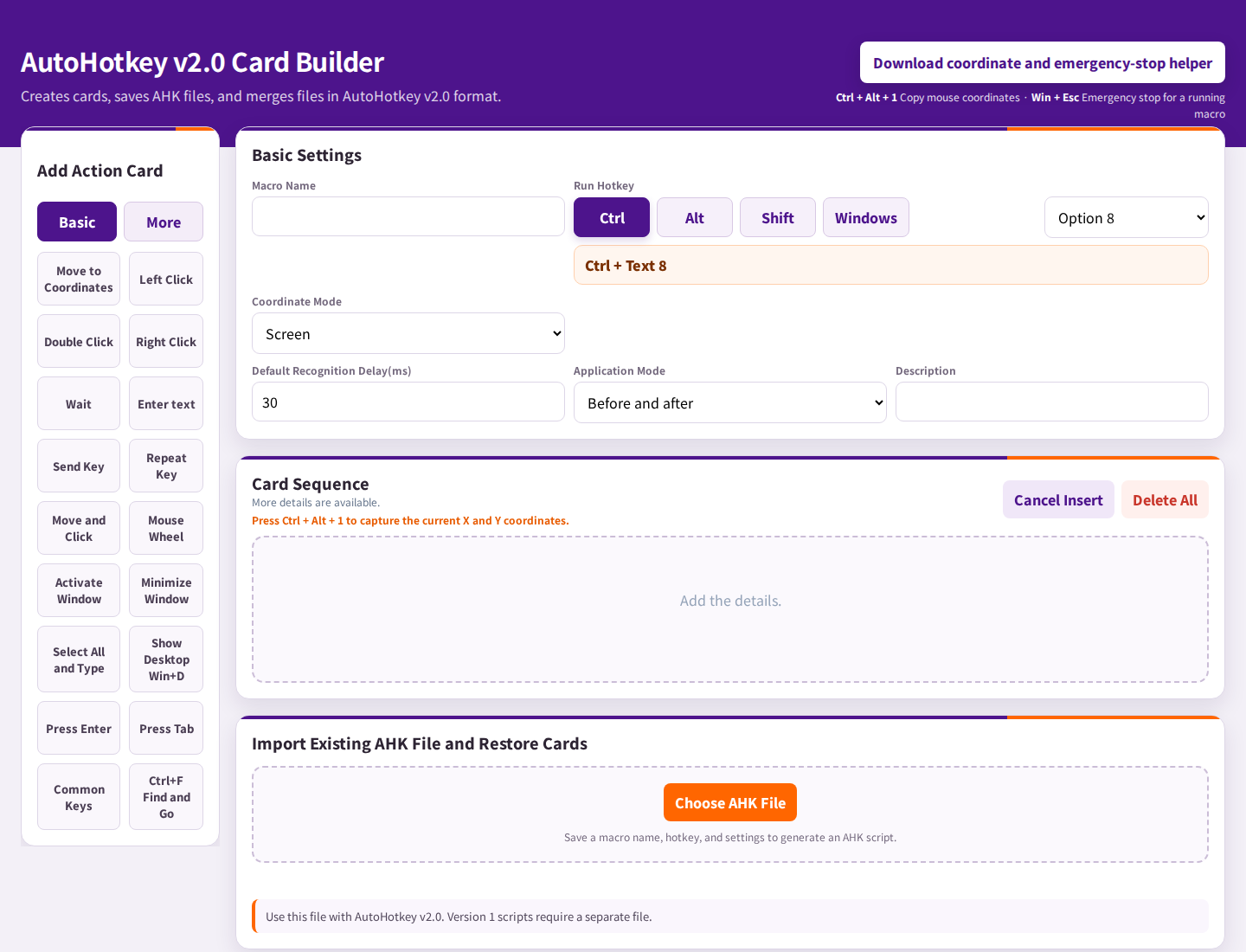
A routine may be only a few steps: open the right window, click a field, enter text, and move to the next control. LAVL PRO lets you arrange supported AutoHotkey actions as cards and generate a script for your Windows workflow.
Local HTML builder · English and Korean · Check feature compatibility
You click the same controls and type the same text each time.
Arrange the supported actions in order, set the values and waits, then generate a script to test.
Illustrative sequence: click the first field → type your text → wait → click the next control. Actual targets, timing, and behavior depend on your application.
Describe a short routine before opening the editor. Include the target window and anything that must finish loading before the next action.
Choose supported click, typing, hotkey, or other action cards. Set each value and check the sequence on the result side.
Use the coordinate helper for coordinate-based actions, or the available image-based action options when suitable. Window position, scale, and appearance matter; a saved target is not a guarantee that the same control will always be there.
Review the AutoHotkey v2 output, install the matching AutoHotkey version, and try a small sequence in a test window. Adjust timing and targets after checking the result.
Coordinates refer to a position, so moving a window or changing display scaling can change what is clicked. Image-based actions depend on the reference image being found on screen. Pick the approach that fits the application and test it at the screen settings you actually use.
Applications do not always load at the same speed. A step that works when a window is ready may fail when the next control has not appeared. Start with a short sequence and review its waits, focus, and target state rather than immediately automating a whole task.
LAVL PRO builds supported scripts in a local HTML interface. AutoHotkey runs the generated script on Windows. The builder can work offline, but the application being automated may still require the internet or other services.
AutoHotkey is a separate Windows application. Download the required version from its official website and follow the LAVL guide.
These generated AutoHotkey scripts run on Windows, not iPhone or Android. Viewing the builder in a browser does not make the Windows script run on mobile.
You can edit your card settings and regenerate supported scripts. Review and test the new result, especially after changing targets or application settings.
Explore the supported cards in the FREE edition, then check the guide and your application environment before choosing PRO.
Try the FREE edition Purchase detailsDo you type the same greeting more than once a day? Let's practice with a single word first. When Hello appears in the right place, you can replace it with your own short phrase.
Follow this example →