Outlook VBA
Create send checks, recipient and attachment validation, message formatting, and bulk export for selected emails.
Work offline. Buy once. Keep your copy. LAVL PRO is a local HTML tool for creating Outlook VBA, Excel formulas and macros, and AutoHotkey v2 scripts. Open the file in your browser and combine settings and action cards around the way you work.
One $5 payment.
Build your own workflow at your own pace.
Use your purchased version with no time limit.
No monthly subscription.
Updates and support follow the periods stated at purchase.
Even without coding experience, choose cards and configure options to generate complex code for supported tasks. Follow the user guide to apply and test the generated code.
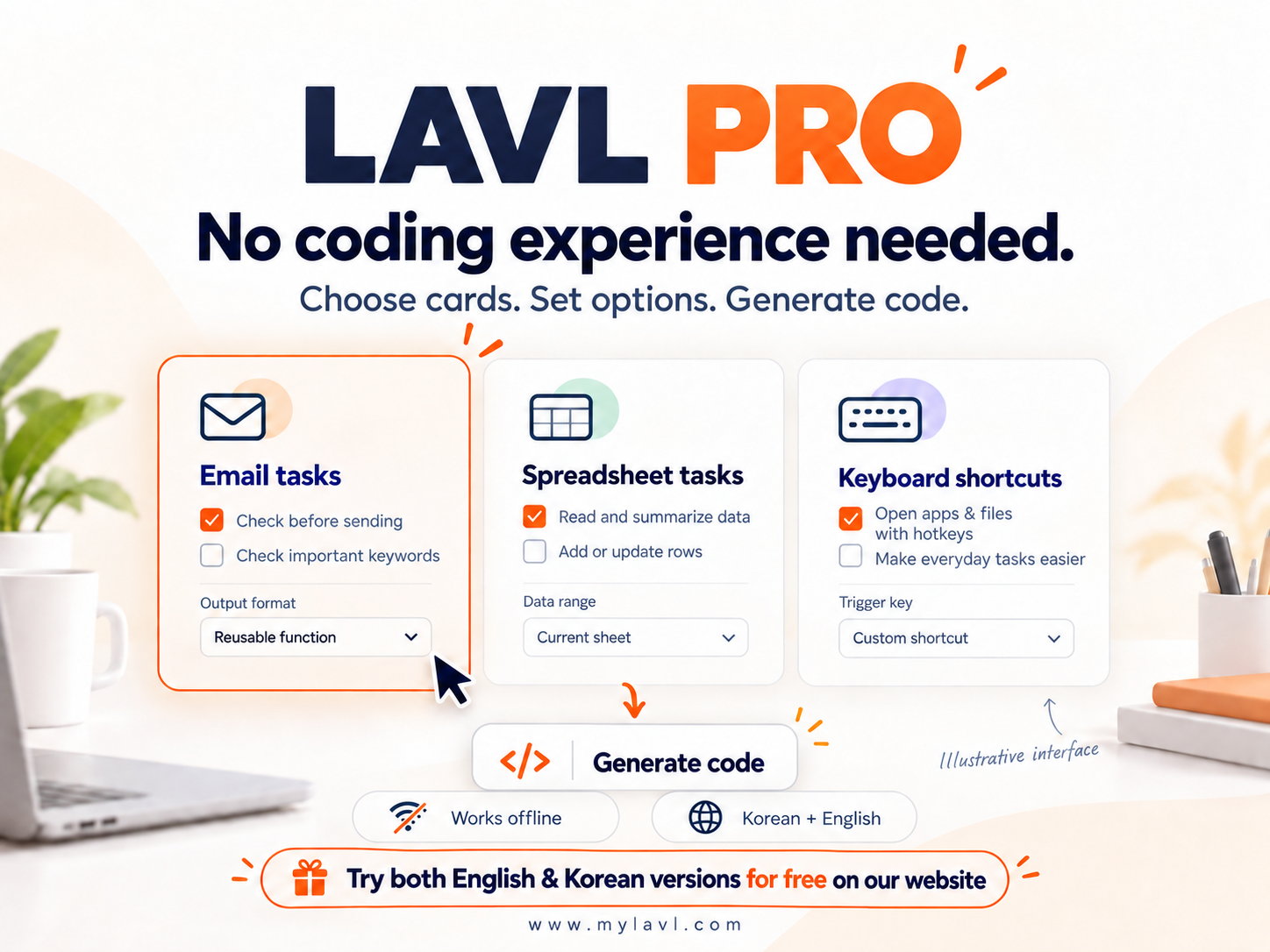
Choose a task, enter your values, and generate code or formulas ready to adapt to your workflow.
Create send checks, recipient and attachment validation, message formatting, and bulk export for selected emails.
Work with number cells, range selection, decimal places, business formulas, and VBA macros.
Combine mouse movement, clicks, text entry, and other actions into an AutoHotkey script.
Choose a repetitive task or pain point and explore practical workflows using Outlook, Excel, and AutoHotkey.
Open the downloaded HTML file in a browser and assemble your task with cards.
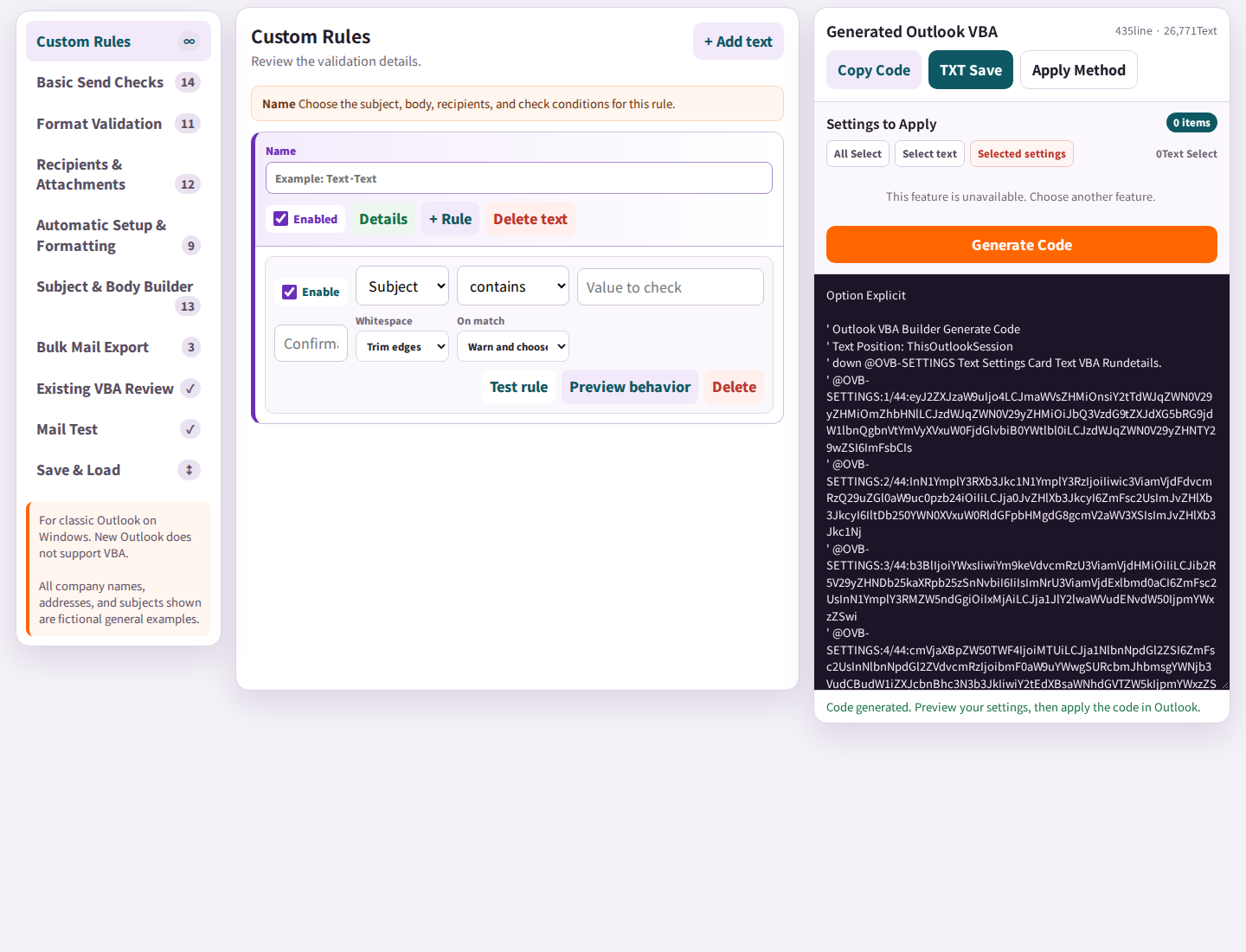 01Open the tool
Choose Outlook, Excel, or AutoHotkey for your task.
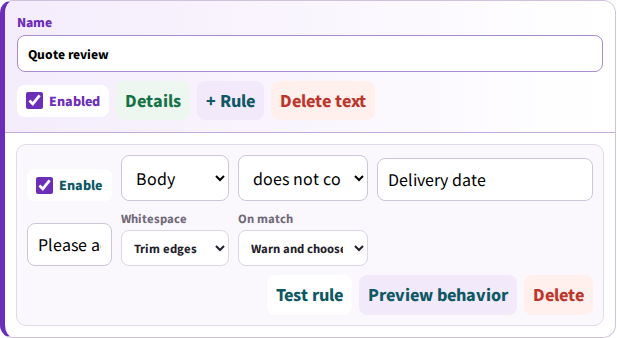 02Add cards
Add the actions you need and remove cards you no longer want.
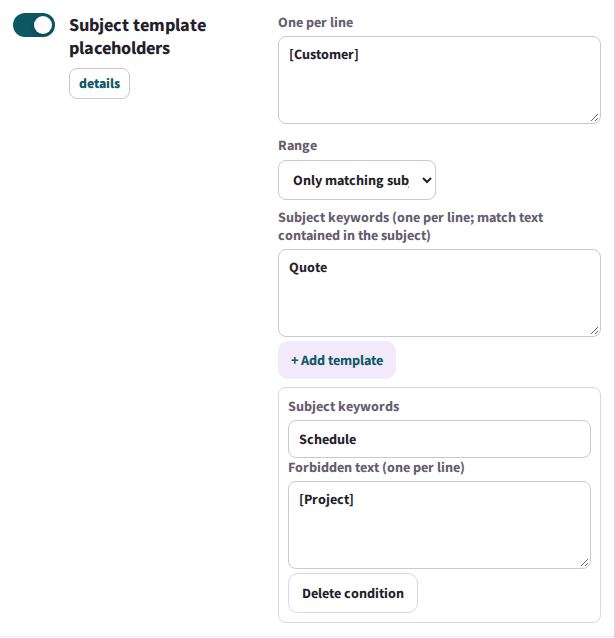 03Enter conditions
Enter your subject keywords, text checks, cell ranges, or shortcut keys.
 04Review and apply
Review the generated code or formula, then apply it using the guide.
Choose cards and conditions to fit your work. Use AutoHotkey to streamline simple tasks such as repeated typing, clicks, and opening apps or files.
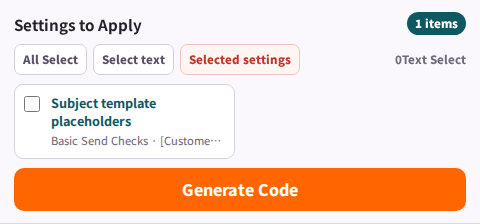
Check required subject and body text, CC/BCC, and attachments before sending.
Configured CC/BCC addresses are not added again when already present in the recipient list. Each subject or body replacement rule runs once per draft.
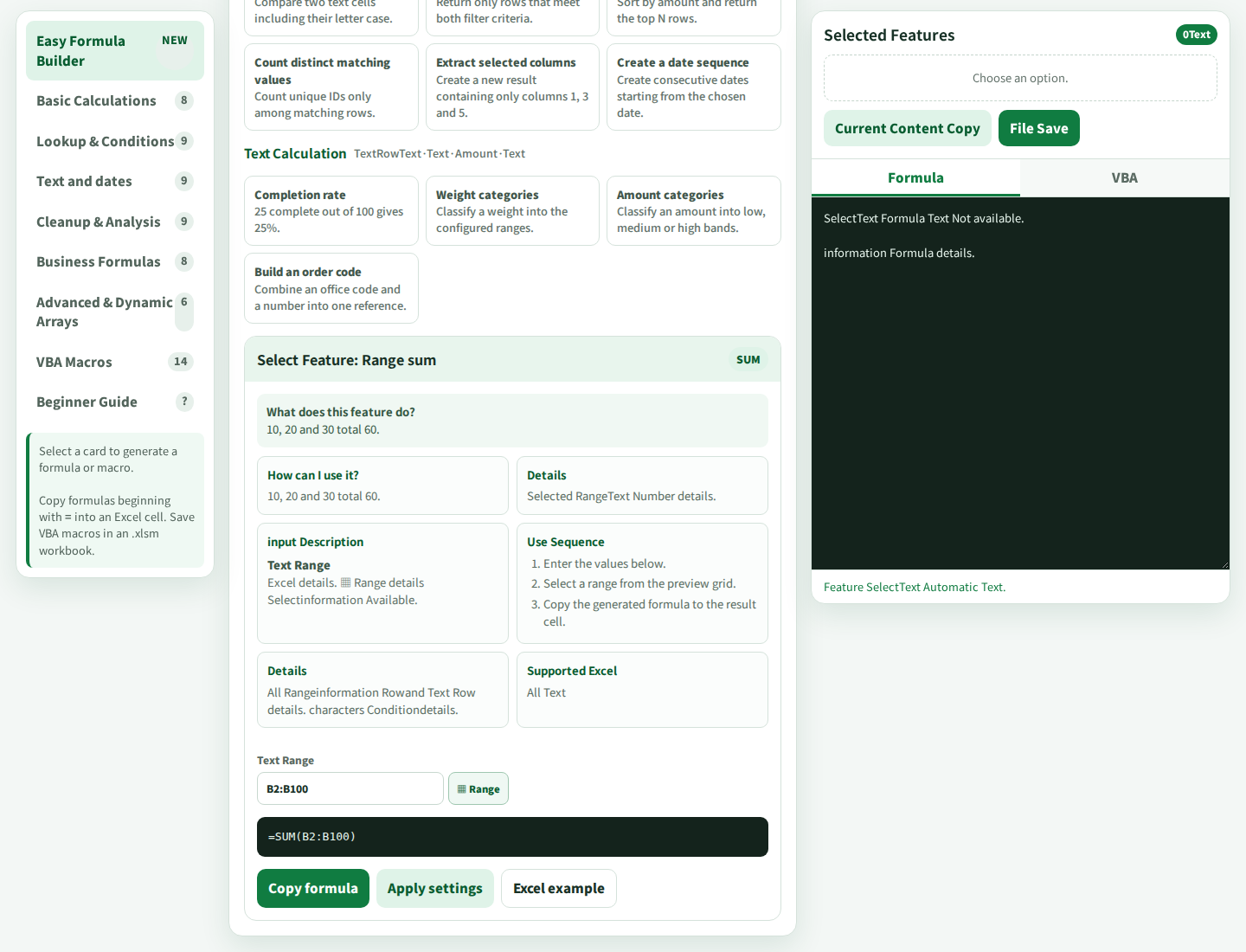
Build formulas from ranges and conditions, or sequence clicks, typing, and hotkeys.
On a send retry, replacement rules already applied to the draft are skipped. Use a new draft to apply the same rule to newly added text. Use Outlook rules to sort incoming mail.
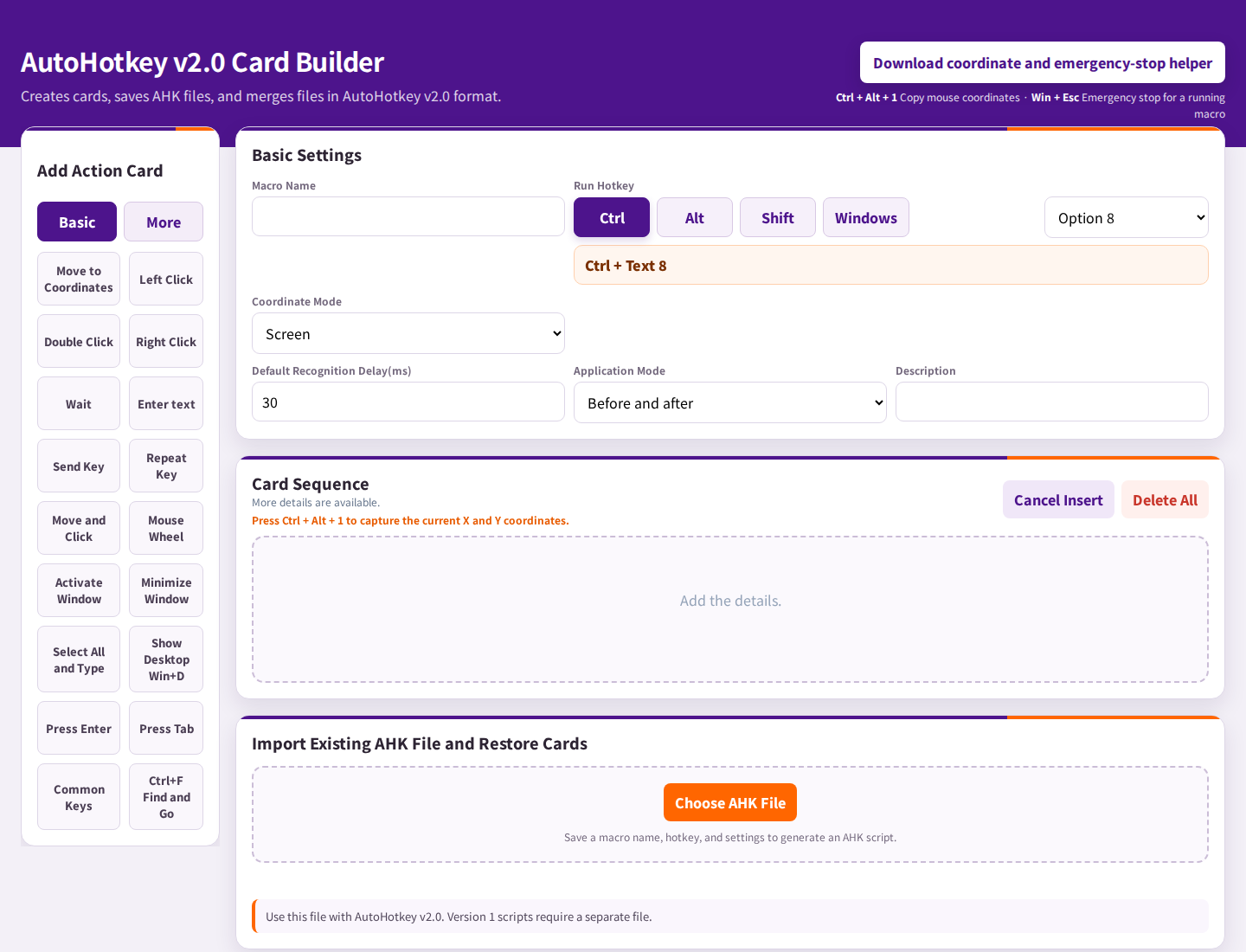
Combine clicks, typing and waits as cards, then set a hotkey.
LAVL generates code. The programs that run it are separate.
| Feature | Required environment |
|---|---|
| Outlook VBA | Classic Outlook for Windows. New Outlook does not support VBA macros. |
| Excel | Formula support varies by Excel version. VBA macros need desktop Excel and enabled macro permissions. |
| AutoHotkey | Windows and the matching AutoHotkey v2 runtime are required. Check your workplace's installation policy. |
The downloaded HTML builder runs locally in a browser. It does not send your entered work content or generated code to LAVL servers. Visiting this site, downloading, and sending email may require internet.
A one-time purchase gives you the PRO HTML file to use without a time limit or monthly subscription. Future updates follow the policy shown at purchase.
PRO can turn supported Outlook VBA settings into editable cards in its import and review area. Review generated and existing code before applying.
Contact KakaoTalk ID LAVL or mylavl0000@gmail.com.
The tool opens in a new tab. Your entries are processed in your browser.
Explore free Outlook, Excel, and AutoHotkey tools with a preview of PRO features.
Open Korean versionExplore the free Outlook, Excel, and AutoHotkey tools, plus detailed previews of PRO features.
Open in EnglishLearn how to use FREE and PRO, add applied cards, and apply linked conditions. Apply your settings, generate code, and install it in the target program.
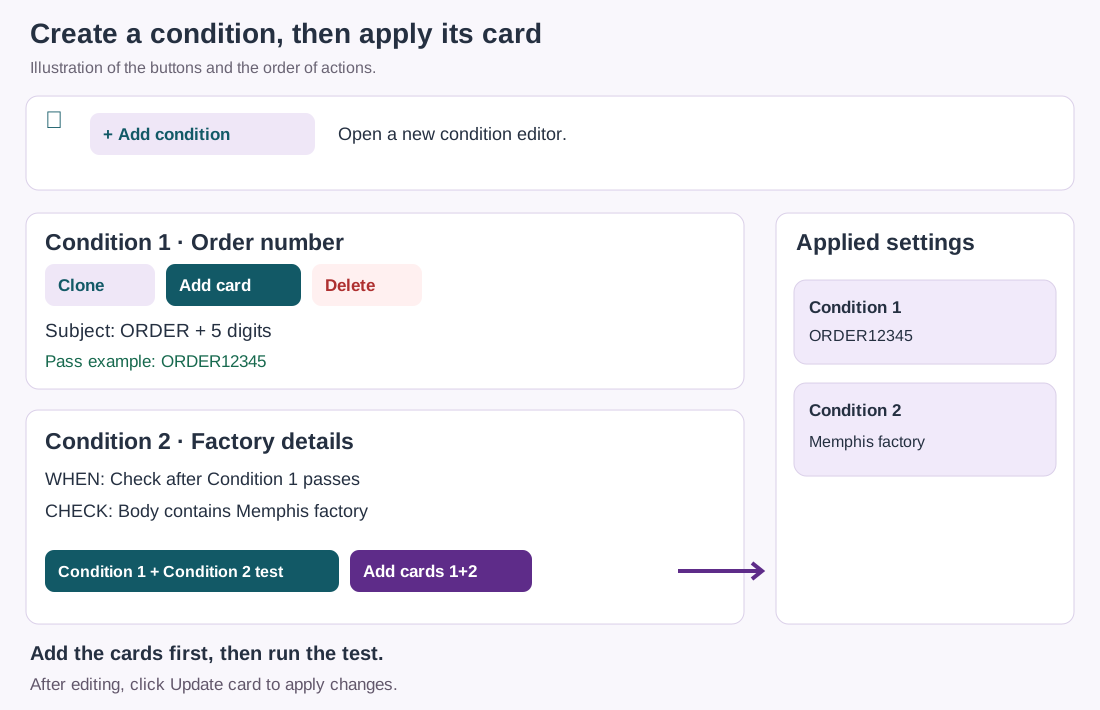
Add condition opens an editor. Add card applies it to the list on the right and the code. When Condition 2 depends on Condition 1, use Add cards 1+2 in the test area to apply both.
The LAVL HTML tool generates code and formulas locally. It does not include a feature that sends your entered settings or work content to LAVL servers.
Set up email checks, spreadsheet calculations, and repeatable desktop actions. Review the generated result before applying it in the relevant program.
Start small and build your own workflow at your own pace. Keep using your purchased PRO HTML version with no time limit or monthly subscription. Availability and terms of future versions follow the policy shown at purchase.
Classic Outlook, Excel, and AutoHotkey must be obtained separately as needed. Sending email and installing or updating other programs may require an internet connection.
Keep using your purchased version. Updates and support have defined periods.
Personal and internal business use and backups on your own computers are allowed. Sharing or reselling the original tool is restricted.
Bug-fix updates for your purchased version and basic usage support are included. Custom development and remote setup are separate.
Review FREE features and PRO differences. Digital-content withdrawal restrictions apply only when legal requirements are met.
See the setup, check the environment, and choose the tool that fits your work.
Configure required text and recipient checks for classic Outlook on Windows.
Choose ranges and conditions, then review the generated formula or VBA.
Arrange supported clicks, typing, and hotkeys in the order you need.
Type NEEED and press Space to see NEED. A free Windows script, with instructions.
These real LAVL PRO screenshots come from the included user guide. Try the card interface and code generation in the free version. FREE and PRO have different feature scopes.
Before using generated Outlook, Excel or AutoHotkey code in real work, test thoroughly with sample emails and files in a safe environment. Back up important data, start with a small run, and check the results. Behavior may vary with settings, software versions, window positions and the runtime environment. AutoHotkey emergency stop does not undo clicks, typing, deletion or sending that have already occurred.
Users must review generated code and results for suitability in their work environment. LAVL does not guarantee accuracy in every environment or a particular outcome. This notice does not exclude liability for intentional misconduct or gross negligence, or limit liability and consumer rights that cannot legally be excluded.